What is Oxygen Microscope and who benefits from it
What is new ?
Release Notes and Documentation
Versions history
The Gallery

Test CPU performance of the Pacor, Helium Rough and Oxygen Software
 
Oxygen Microscope Server download
 
Oxygen Microscope Documentation (PDF)
FAQ
Customizing Oxygen Customer Reports
Customizing Oxygen / DiamCalc Polish reports

Creating and customizing appraisers (PDF)
Creating and customizing pricelists (PDF)
Appendixes
 
DiamCalc
DiBox
DiBox 2.0
GemAdviser Free Version
Helium IG
Helium Polish
Helium Rough
Helium Tender
M-Box 2.0
M-Box 1.5
M-Box
Oxygen DZ
Oxygen HIG
Oxygen Immersion
Oxygen Inclusion
Oxygen Microscope Server
Oxygen Viewer Free Version
Oxygen XRay Server
Pacor
Pacor Client
Stereo Viewer Free Version
ViBox

PACOR - Advanced Computer technologies for Processing of Rough diamonds
Laser Mapping of Concavities
Scanning major and minor symmetry features
Technology patent "A method and apparatus for locating inclusions in a diamond stone"
Immersion Glass
 
Documentation: Oxygen Microscope Workspace
Microscope camera mode

The Microscope camera mode allows to create photos of inclusions and cracks.

To use this mode select button Microscope camera on the left panel.

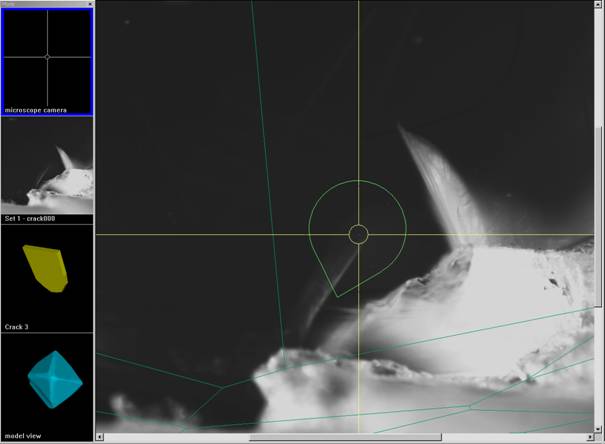
The Scene in the center of the screen displays live camera view of rough, its 3D model and Indicator Pear.

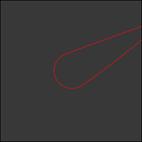
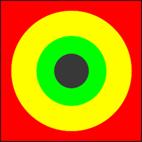
The Indicator Pear show the current facet's slope. It has three colors: green, yellow and red.

  • Green - fine orientation for creating Inclusions contours
  • Yellow - good facet orientation
  • Red - orientation of facet is not recommended to make contours

0

0

0

0

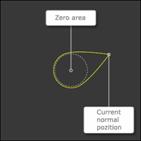
The Pear is a curve line cover circle in the center of Scene and current normal position. The Tail of Pear is always directed to the normal.

The length of Pear depends on the angle between the normal to the current facet of a diamond and direction of operator view. Then an angle is to big the Tail of Pear might go out the Scene.

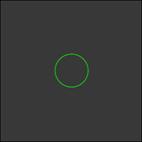
Length of Pear become short or long as leveling of facet. When the facet has normal view Pear shape changes into Circle.

The color of Pear depends on the angle of normal deviation.

  • More then 25 degree - red
  • From 10 to 25 degree - yellow
  • Less 10 degree - green

The panels on the bottom allow:

  • set brightness and contrast
  • adjust focus on surface
  • set focus on inclusion
  • accurate set microscope zoom
  • make photos

The Microscope and Camera are controlled in Hardware tab on the right side of the screen.

Oxygen Microscope workspace