|
The Microscope mode is designed for:
- view rough diamonds in a microscope
- control microscope and camera
- make photos by a microscope camera
- explore photos
- create 3d inclusions, flat cracks and holes
- modify and delete inclusions
- estimate precisions and consistency of inclusions
- view diamond model and inclusions models
There are four modes in the Microscope:
- Microscope camera
- Photo view
- Inclusion view
- Model view (standard, the same as in previous versions Oxygen Inclusion)
To use a mode please select the correspondent button on the left vertical panel:
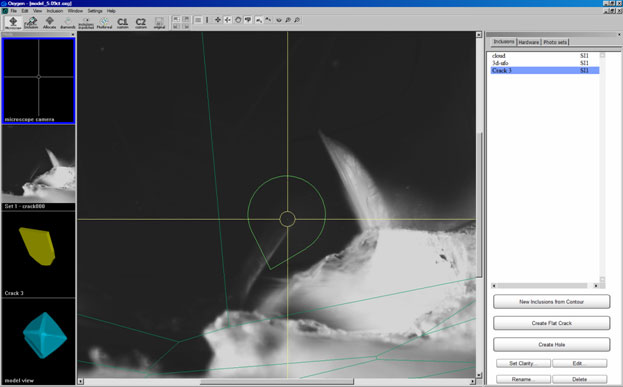
There are controls panel on the right side of the screen. The controls panel include tree tabs:
- Inclusions - to create or edit inclusions
- Hardware - to control the microscope and camera
- Photo Sets - to load, view and select photos
Oxygen Microscope workspace
| 














