The Microscope photo view mode allows to view and select photos for creating inclusion.
The photos obtained from microscope saved in Photo Sets. Photo set is a folder with photos.
To work with Photo sets select tab Photo Sets:
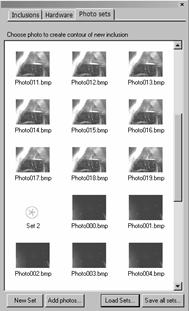
To create Photo set use button New Set.
To load Photo sets:
- Select
- Press key Load Sets in the bottom
- Select some folders with photos
- Photos will be loaded into tab Photo Sets
- The set might be one or several: Set1, Set2 и etc
Note. It is recommended to save photos in Photo sets by themes: inclusions, creaks, clouds and etc.
By default you can list with all photo sets as a gallery.
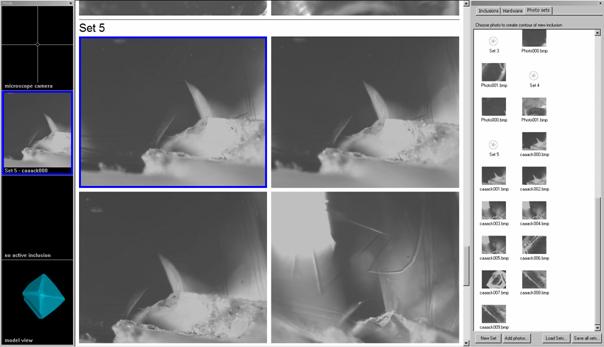
To explore photos:
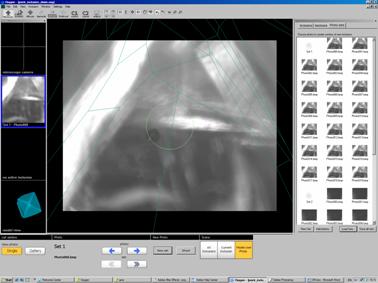
- Double click a photo or press button Single

- The photo will be enlarged
- To switch back to the gallery press button Gallery
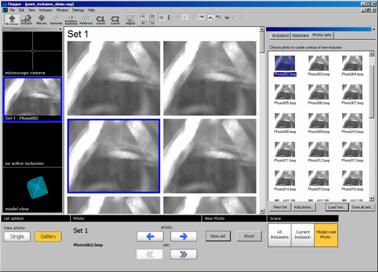
- To list photos inside the sets use button Left arrow and Right arrow
- To list photos inside the sets by mouse:
- press and hold left mouse button
- hold and move mouse button on Scene
- the photos will be changing like a movie
Oxygen Microscope workspace
| 














